
Learning Objectives and Success Criteria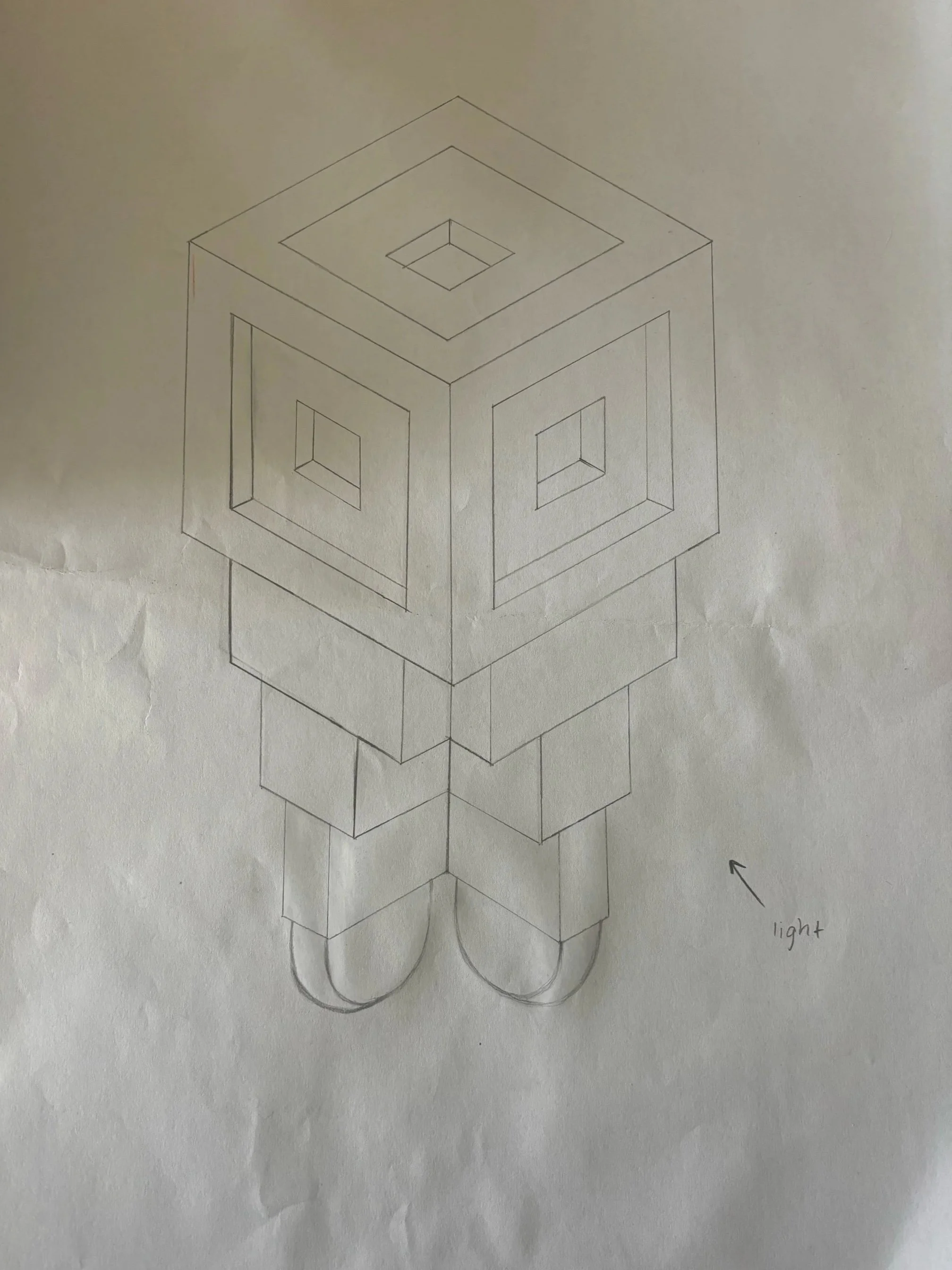
By the completion of this learning sequence the students will be able to:
Understand Isometric Drawing (within the Paraline Drawing category) as per the VCD technical drawing conventions (based on Australian Standard AS 1100)
Generate, develop, resolve and refine design ideas, concepts and solutions in a range of contexts for specific audiences and/or users using the visual communication design process (VC2AVC10C01)
Experiment with visual language, methods, media and materials to generate and develop design ideas and concepts and refine visual communication designs across fields of design practice (VC2AVC10D01)
Investigate the ways that designers from a range of cultures, times and places use visual communication practices to communicate ideas and information in different cultures, times, places and other contexts (VC2AVC10E01)
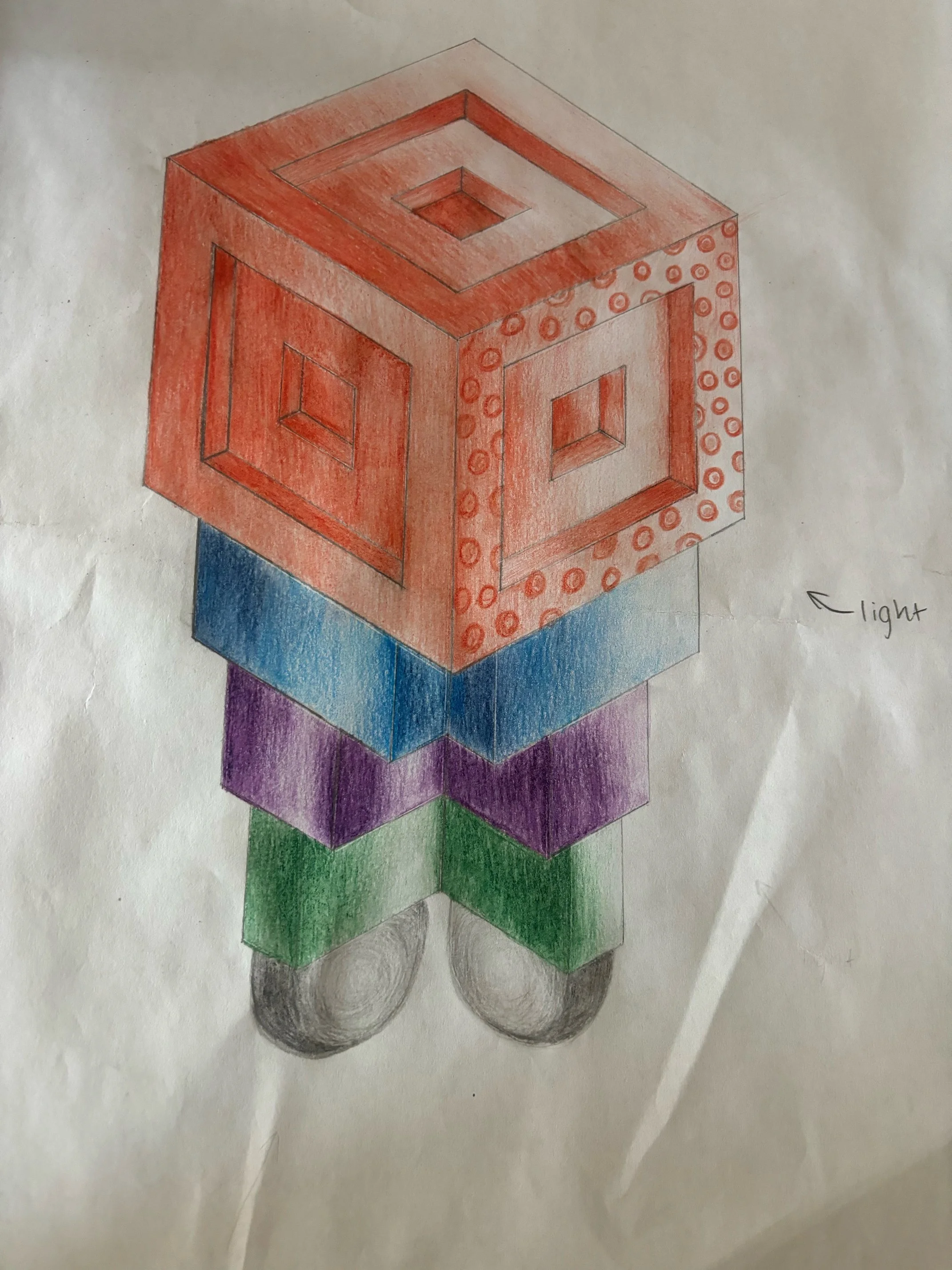
Render using colour - based on a light source
Use Adobe Illustrator software to re-create isometric design digitally
Apply colour and complete digital design. Export and print in poster form.
Success criteria:
Using the Design Process, successfully complete a drawing in isometric form by applying conventional drawing skills. Render their final isometric design, and use Adobe Illustrator to replicate the drawing. Represented by a completed A3 printed poster of the final design.
How do we implement the content effectively?
Materials RequiredLined isometric paper
Table Rulers
30 degree (Isometric) Set square
Plain A3 Paper
Coloured oil based pencils
Computers (Adobe Illustrator program)
Learning EnvironmentThe learning will take place in the arts/VCD specialist classrooms, with larger desk space and correct equipment on hand.
Students are reminded to bring 30 degree set squares, and will allow access to spare equipment should they forget their own/don’t own their own. Ensuring there is consideration to creating an inclusive classroom environment.
Once students enter the room it is a known expectation (behaviourist learning strategy) to collect their A3 visual folders on the way in, and then sit at their usual desks.
Table rulers will be provided, and hanging on a rack positioned near the back of the classroom.
Once lesson instructions and demonstration has been completed, students will be asked in their table groups to make their way to collect a table ruler (groups no more than 5 at a time to allow space, and eliminate congestion)
Students pack up belongings/materials within 8 minutes of class finishing - to allow enough time without rushing.
Students will pack table rulers away in the same fashion, whereby table groups will separately put these back onto the rack.
If students had borrowed any equipment they must then return this after packing away their table ruler.
All physical work will be packed away in their A3 Visual Folders.
Folders will be collected and placed into their specific class drawer/tub on their way out of the classroom. Table groups will be asked to leave 1 at a time.
Once students as a collective are able to move onto their computer design, (throughout lesson 3) the teacher will ensure the class are transitioning sensibly and responsibly to the computer lab, pending its location in the school.
The same process will then be reciprocated when making their way back to the visual arts room, to collect belongings and finish class.
Prior learning/KnowledgeYear 7-8 band within v2 Victorian Curriculum
investigate ways that visual communication practices are used to communicate ideas and information across cultures, times, places and other contexts (VC2AVC8E01)
explore the diversity of design solutions across different fields of design practice and contexts and consider culturally, legally and ethically responsive approaches, including the use of Indigenous Cultural and Intellectual Property rights (VC2AVC8E02)
reflect on, analyse and document the ways that they and other designers investigate, generate, develop and resolve their ideas, concepts and solutions to inform decisions they make throughout the visual communication design process (VC2AVC8D02)
generate, develop, resolve and refine design ideas, concepts and solutions considering the communication need, specific audience or user (VC2AVC8C01)
Students are relatively familiar with these concepts we are exploring within the lesson sequence. Although incorporating a digital component to the final presentation may require an Explicit Teaching strategy, ensuring teachers “monitor students’ progress towards challenging goals”. Worked examples and collaborative learning will also assist in “scaffold[ing] student knowledge and skill acquisition” given the increased complexity as they’re working towards achieving a higher standard/curriculum. As well as “establish[ing] an atmosphere of cooperation and collaboration”. The teacher can do this effectively by “designing meaningful tasks and inviting group responses to questions.” Given these strategies will assist in creating the most positive learning environment possible (High Impact Teaching Strategies, 2017).
Differentiation, Extenders, Enablers1.1 - Physical, social and intellectual development and characteristics of students
Demonstrate knowledge and understanding of physical, social and intellectual development and characteristics of students and how these may affect learning.
As a pre-service teacher, I will be able to gauge those who are interested/cooperative from the beginning of the lesson as interested students include themselves by asking questions/engaging themselves throughout the lesson. This will highlight those who are listening to the demonstration/those who are not - as the types of questions that are being asked will determine whether the students are being sensible and asking questions related to content, or whether they indicate they were deliberately not listening and displaying a willingness to understand. (Characteristics of students)
However this may also highlight those who are unable to understand, interpret the required task and may require additional support (Physical, social and intellectual development). If students do require additional support from ES staff I will work with these staff members as the lesson is underway and ensure these students are able to complete a version of the required task. If students are unable to physically draw, we could rely on the Adobe Illustrator part of the lesson and they could construct a 3D design digitally.
Otherwise if they are unable to complete the technical drawing component due to the preciseness, but could instead colour/render and use the isometric lined paper as a guide - I would ensure to have these additional resources ready to be provided even if the remaining students were not up to this component yet.
Assessment (Formative/Summative)Formative Assessment Strategies -
This will include collecting the final A3 Isometric Drawing designs (After Lesson 2) before we proceed to the computers to create our digital design. Provide feedback based on students progress of this component, to gauge whether the class will require additional time (10-15 mins of Lesson 3) to finish off designs in art rooms, before commencing Adobe Illustrator work in the computer lab. Students must be as complete as possible, otherwise they will be advised to go based on their drawn design and the rest will need to be open to interpretation on the computer.
Summative Assessment -
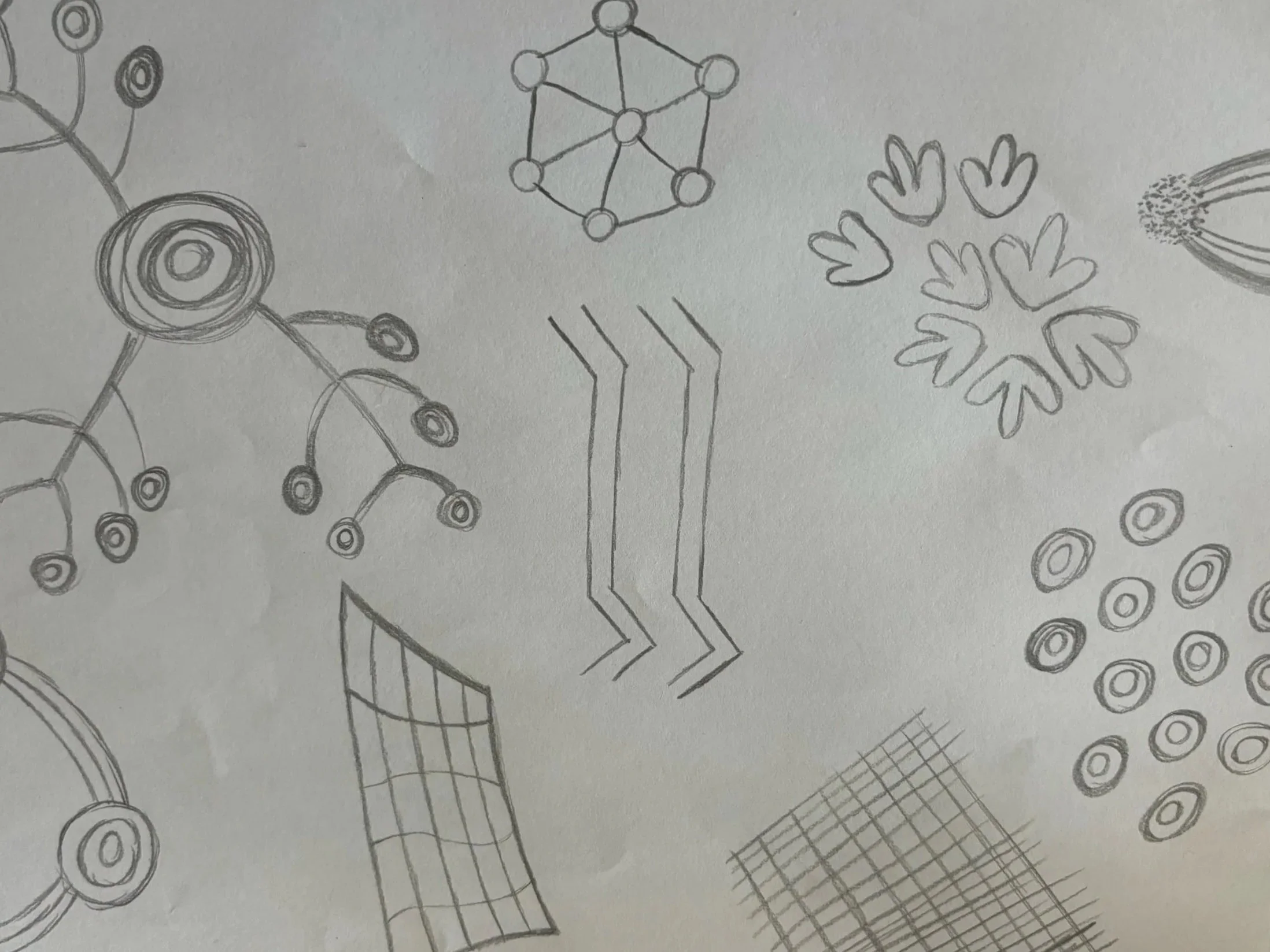
The final printed Isometric/3D poster of their Robot will be assessed and evaluated against their Isometric drawing, on the technical drawing conventions process they have followed. Then their focus on the Design Process will be considered as they developed their idea into a final digital copy, and their use of divergent/convergent thinking considering the functionality of the Robot will be assessed. Their incorporation of Aboriginal and Torres Strait Islander patterns will also be evaluated as this must be an inclusion in their final design.
How It Works-
Introducing Isometric Drawing
-
Completing Isometric Drawing and introducing Rendering
-
Using Isometric drawing as a guide to digitally design on Adobe Illustrator
-
Complete final digital Robot Design using Adobe Illustrator including colour & pattern. Print out final copy on A3 poster.